


In the realm of sublimation printing, a process renowned for its ability to produce vivid, long - lasting prints on various substrates, the Doctor Blade plays a crucial yet often under - appreciated role. As a provider of Doctor Blades, I am excited to delve into the mechanics of how this simple yet effective tool operates within the sublimation printing process.
Understanding Sublimation Printing Basics
Before we explore the function of the Doctor Blade, it's essential to have a basic understanding of sublimation printing. Sublimation printing involves the use of heat and pressure to transform a solid dye into a gaseous state without passing through the liquid phase. This gaseous dye then penetrates the pores of the printing substrate, such as polyester fabric or special coated paper, and becomes permanently embedded within the material once it cools and reverts to a solid state.
This process is valued for producing high - quality, full - color prints with excellent colorfastness and durability. However, achieving consistent and precise results in sublimation printing requires the careful management of ink application, and this is where the Doctor Blade comes in.
The Anatomy of a Doctor Blade
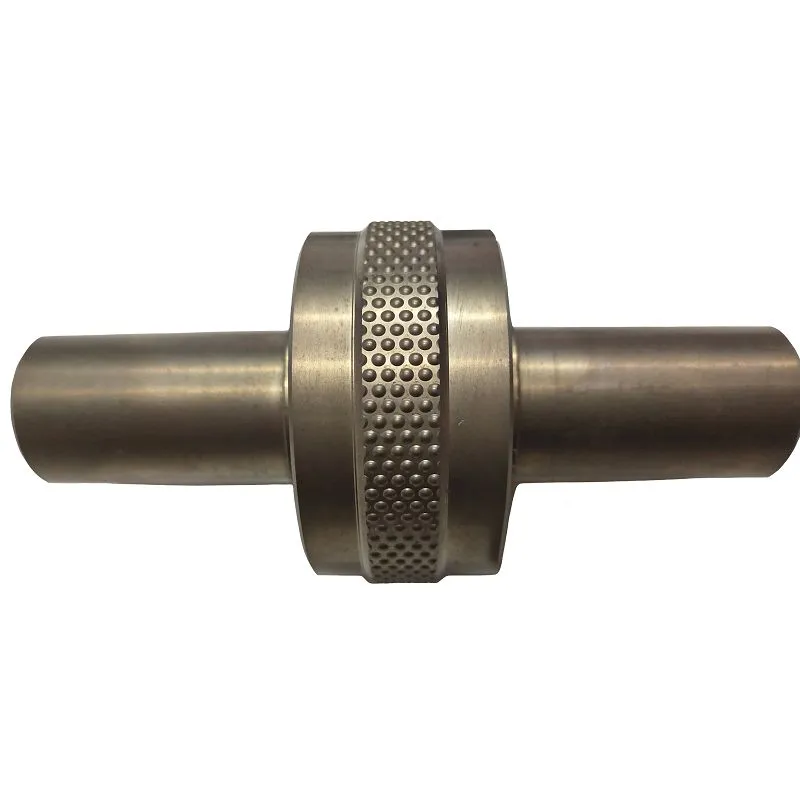
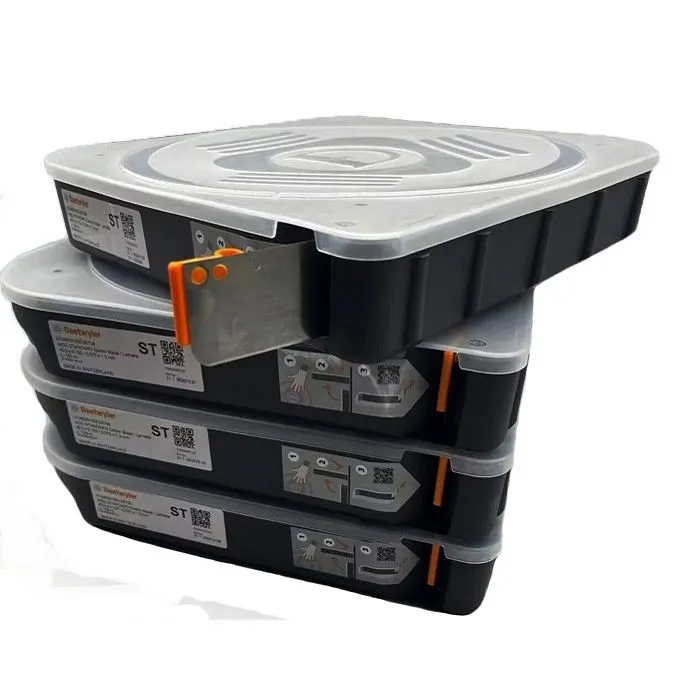
A Doctor Blade is a thin, flat piece of material, typically made from metal, plastic, or ceramic. It is designed to be mounted at a specific angle against an anilox roller, which is a key component in the ink - delivery system of a sublimation printing press. The anilox roller is engraved with tiny cells that hold the sublimation ink. As the roller rotates, it picks up ink from an ink reservoir and transfers it to the printing plate or substrate.
How the Doctor Blade Works
The primary function of the Doctor Blade is to control the amount of ink that is transferred from the anilox roller to the printing surface. Here's a step - by - step breakdown of how it operates:
1. Ink Pick - up by the Anilox Roller
The anilox roller rotates through the ink reservoir, and the engraved cells on its surface fill with sublimation ink. The size, shape, and density of these cells determine the maximum amount of ink that the roller can hold. Diverse anilox rollers have different cell specifications to accommodate various printing requirements, such as different ink viscosities and print resolutions.
2. Excess Ink Removal
As the ink - laden anilox roller continues to rotate, it comes into contact with the Doctor Blade. The Doctor Blade is positioned at a precise angle against the surface of the anilox roller, typically between 30 and 60 degrees. When the roller passes under the blade, the blade scrapes off the excess ink from the non - cell areas of the roller's surface. This ensures that only the ink contained within the engraved cells remains on the roller.
The angle and pressure of the Doctor Blade are critical factors in this process. If the angle is too steep or the pressure is too high, the blade may damage the anilox roller or cause excessive wear on the blade itself. Conversely, if the angle is too shallow or the pressure is too low, the blade may not effectively remove the excess ink, leading to inconsistent ink transfer and poor print quality.
3. Ink Transfer to the Printing Surface
Once the excess ink has been removed, the ink remaining in the anilox roller's cells is transferred to the printing substrate. This transfer occurs when the anilox roller comes into contact with the printing plate or the substrate directly, depending on the type of sublimation printing press. The pressure applied during this contact forces the ink out of the cells and onto the surface, where it is ready to be sublimated.
Factors Affecting Doctor Blade Performance
Several factors can influence the performance of the Doctor Blade in a sublimation printing process.
1. Blade Material
As mentioned earlier, Doctor Blades can be made from different materials, each with its own set of properties. Metal blades, such as steel or stainless steel, are known for their durability and high - precision scraping ability. They are suitable for applications where a long blade life and consistent performance are required. Plastic blades, on the other hand, are more flexible and can be used in situations where a gentler touch is needed to avoid damaging delicate anilox rollers. Ceramic blades offer excellent chemical resistance and wear properties, making them ideal for use with aggressive inks.
2. Ink Viscosity
The viscosity of the sublimation ink also plays a significant role in Doctor Blade performance. Inks with higher viscosities are thicker and more difficult to remove from the anilox roller. In such cases, the Doctor Blade may need to be adjusted to a steeper angle or higher pressure to ensure effective ink removal. Conversely, lower - viscosity inks flow more easily and may require a shallower blade angle and lower pressure.
3. Anilox Roller Condition
The condition of the anilox roller is crucial for the proper functioning of the Doctor Blade. A damaged or worn - out anilox roller can cause uneven ink distribution and may prevent the Doctor Blade from effectively removing the excess ink. Regular maintenance and inspection of the anilox roller, including cleaning and re - engraving if necessary, are essential to ensure optimal performance.
Complementary Tools in Sublimation Printing
In addition to the Doctor Blade, there are other tools that work in tandem to ensure a smooth sublimation printing process. For instance, the Knurling Tool can be used to create a textured surface on certain substrates, which can enhance the adhesion of the sublimated ink. The Brush To Metal Anilox Roller is another important component, which helps in the initial ink - distribution and can work in harmony with the Doctor Blade to achieve a more uniform ink layer.
Importance of Quality Doctor Blades in Sublimation Printing
Using a high - quality Doctor Blade is crucial for achieving consistent and high - quality prints in sublimation printing. A well - designed and properly maintained Doctor Blade can help to:
- Ensure Ink Consistency: By precisely controlling the amount of ink transferred, a good Doctor Blade helps to maintain consistent ink coverage across the entire printing surface, resulting in uniform colors and sharp images.
- Reduce Waste: By removing excess ink from the anilox roller, the Doctor Blade helps to prevent ink from being wasted during the printing process. This not only saves on ink costs but also reduces the environmental impact of the printing operation.
- Extend Anilox Roller Life: A properly adjusted Doctor Blade reduces the wear and tear on the anilox roller, extending its service life and reducing the need for frequent replacement.
Conclusion and Call to Action
In conclusion, the Doctor Blade is an indispensable tool in the sublimation printing process. Its ability to control ink transfer with precision is crucial for achieving high - quality, consistent prints. As a supplier of Doctor Blades, we understand the importance of providing products that meet the highest standards of quality and performance.
If you are in the sublimation printing industry and are looking for reliable and effective Doctor Blades, don't hesitate to contact us for a consultation. We are committed to helping you find the right solutions for your specific printing needs. Whether you need advice on blade selection, installation, or maintenance, our team of experts is here to assist you.
References
- Leach, R. H., & Pierce, R. J. (Eds.). (2018). The Printing Ink Manual. Wiley.
- Cohen, B. (2019). Sublimation Printing: A Comprehensive Guide. Digital Printing Press.