


Clogging of a ceramic anilox roller is a common and frustrating issue in the printing and coating industries. As a supplier of high - quality ceramic anilox rollers, I understand the importance of preventing this problem to ensure the efficiency and quality of your printing and coating processes. In this blog, I will share some effective ways to prevent the clogging of a ceramic anilox roller.
Understanding the Causes of Clogging
Before we discuss prevention methods, it's essential to understand what causes the clogging of a ceramic anilox roller. The main culprits include ink or coating particles, dried ink or coating residues, and contaminants in the printing environment.
Ink or coating particles can be too large to pass through the cells of the anilox roller. When these particles accumulate in the cells, they gradually block the flow of ink or coating, leading to uneven transfer and poor print quality. Dried ink or coating residues are another significant cause. If the ink or coating dries on the surface of the roller, it can harden and fill the cells, making it difficult for fresh ink or coating to enter. Contaminants such as dust, paper fibers, and debris in the printing environment can also find their way into the cells of the anilox roller and cause clogging.
Selecting the Right Roller
One of the first steps in preventing clogging is to select the right ceramic anilox roller for your application. The choice of roller depends on several factors, including the type of ink or coating, the printing process, and the desired print quality.
-
Cell Volume and Line Screen
The cell volume and line screen of the anilox roller play a crucial role in preventing clogging. A roller with a larger cell volume can hold more ink or coating, reducing the likelihood of particles clogging the cells. However, a higher line screen can provide more precise ink transfer but may be more prone to clogging. You need to strike a balance between cell volume and line screen based on your specific needs. For example, if you are using a thick ink or coating, a roller with a larger cell volume may be more suitable. -
Dot Shape
The dot shape of the anilox roller also affects clogging. Round Dot Shape Anilox Roller is a popular choice as it provides good ink release and is less likely to trap particles compared to some other dot shapes. The round shape allows ink or coating to flow more smoothly out of the cells, reducing the chance of clogging.
Proper Ink and Coating Management
Proper management of ink and coating is essential for preventing clogging of the ceramic anilox roller.
-
Filtering
Filtering the ink or coating before it reaches the anilox roller can remove large particles that could cause clogging. A fine - mesh filter can be installed in the ink or coating supply system to trap particles. Regularly changing the filter is also important to ensure its effectiveness. -
Viscosity Control
Maintaining the correct viscosity of the ink or coating is crucial. If the viscosity is too high, the ink or coating may not flow easily through the cells of the anilox roller, increasing the risk of clogging. On the other hand, if the viscosity is too low, the ink or coating may not adhere properly to the substrate. You can use viscosity - measuring devices and adjust the viscosity by adding solvents or thinners as needed. -
Avoiding Drying
Preventing the ink or coating from drying on the anilox roller is vital. When the printing process is stopped, it's important to clean the roller immediately or keep it wet with a solvent or a special cleaning solution. This can prevent the ink or coating from hardening and clogging the cells.
Regular Cleaning
Regular cleaning of the ceramic anilox roller is one of the most effective ways to prevent clogging.
-
Daily Cleaning
Perform daily cleaning of the anilox roller after each printing job. Use a mild cleaning solution and a soft brush to gently clean the surface of the roller. Avoid using abrasive materials that could damage the ceramic surface. After cleaning, rinse the roller thoroughly with water and dry it with a clean cloth. -
Deep Cleaning
In addition to daily cleaning, deep cleaning should be done periodically. There are several methods for deep cleaning, including ultrasonic cleaning and chemical cleaning. Ultrasonic cleaning uses high - frequency sound waves to dislodge particles from the cells of the anilox roller. Chemical cleaning involves using a special cleaning agent to dissolve dried ink or coating residues.
Maintaining a Clean Printing Environment
A clean printing environment can significantly reduce the risk of clogging.
-
Dust and Debris Control
Keep the printing area clean and free of dust and debris. Use air filters and vacuum cleaners to remove dust from the air and the surfaces in the printing area. Also, ensure that the paper or substrate used in the printing process is clean and free of fibers or other contaminants. -
Proper Storage
When the anilox roller is not in use, store it in a clean and dry environment. Protect the roller from dust and moisture by covering it with a protective sleeve. This can prevent contaminants from entering the cells of the roller and causing clogging.
Advanced Technologies and Products
In recent years, there have been several advanced technologies and products that can help prevent clogging of ceramic anilox rollers.
-
Laser Engraving Ceramic Anilox Roller
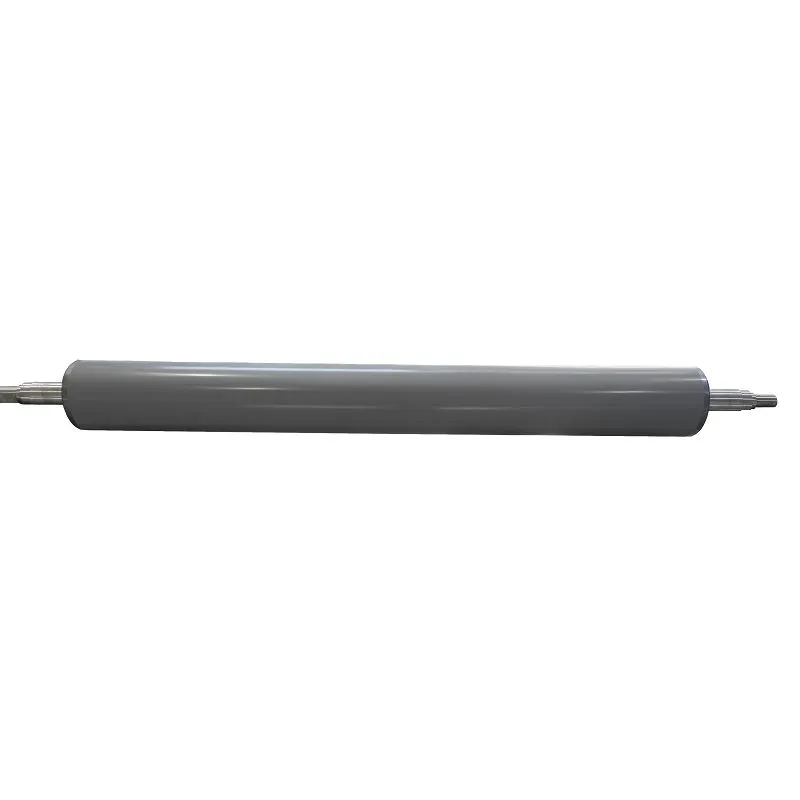
Laser engraving technology allows for more precise and consistent cell shapes and sizes. This can improve ink or coating transfer and reduce the risk of clogging. The smooth surface created by laser engraving also makes it easier to clean the roller.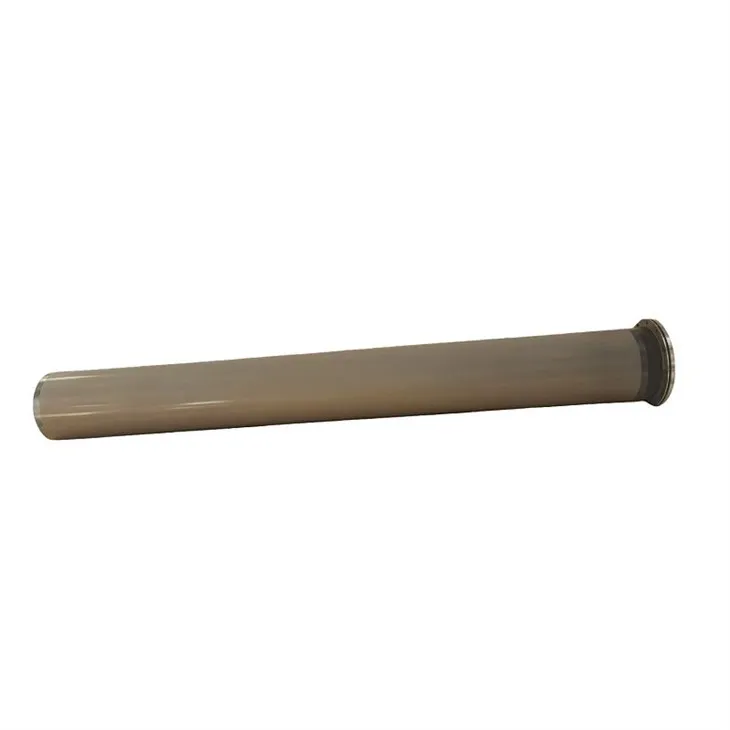
-
Laminating Ceramic Anilox Roller
Laminating ceramic anilox rollers have a special surface treatment that can enhance the release of ink or coating. This can prevent ink or coating from sticking to the roller and reduce the likelihood of clogging.
Monitoring and Inspection
Regular monitoring and inspection of the anilox roller can help detect clogging early and take appropriate measures.
-
Visual Inspection
Perform visual inspections of the anilox roller regularly. Look for signs of clogging, such as uneven ink or coating transfer, streaks, or a dull appearance on the surface of the roller. If you notice any signs of clogging, take immediate action to clean the roller. -
Cell Volume Measurement
Measuring the cell volume of the anilox roller periodically can also help detect clogging. A decrease in cell volume may indicate that the cells are clogged. You can use a cell volume measurement device to monitor the cell volume and ensure that it remains within the acceptable range.
Conclusion
Preventing the clogging of a ceramic anilox roller is crucial for maintaining the efficiency and quality of your printing and coating processes. By selecting the right roller, properly managing ink and coating, regularly cleaning the roller, maintaining a clean printing environment, using advanced technologies, and monitoring the roller, you can significantly reduce the risk of clogging.
As a supplier of ceramic anilox rollers, we are committed to providing high - quality products and professional advice to help you solve the problems related to anilox roller clogging. If you are interested in our products or need more information on preventing clogging, please feel free to contact us for a purchase negotiation. We look forward to working with you to achieve better printing and coating results.
References
- "Anilox Rollers: Principles and Applications" by Printing Industry Training Association
- "Ink and Coating Technology for Printing" by John Wiley & Sons
- Technical reports from leading ceramic anilox roller manufacturers.